
How to Get Court Records
Every Marion record request starts with the right court. Adult felony cases and higher-value General Division civil files sit with the Marion County Clerk of Courts, Legal Division. That office offers Public eAccess, also called CourtView, for online lookups. Traffic tickets, misdemeanors, small claims, and municipal civil cases go to the Marion Municipal Court through its CaseLook display. Ohio runs no single statewide trial-court docket portal, so each clerk stands on its own. For Common Pleas records, the Marion Legal Division takes requests by phone, mail, email, and in person. Its public-record policy covers each channel. The Municipal Court pairs a quick CaseLook docket check with a formal written request. That written route gets you copies or verified details. Whichever clerk you contact, give the court and the case number if you have it. Add the item you want, the copy type, and a way to reach you.
- Identify the Marion court and division from the case type. Use Marion County Public eAccess for Common Pleas or Family Division matters, and CaseLook for Marion Municipal Court matters.
- Locate the Marion case number and docket entry or document title. A number is safer than a broad name search when it is available.
- Decide whether the Marion court need is an online docket view, plain copy, certified copy, audio recording, or transcript.
- Use the Marion channel: online search first, then the appropriate clerk by phone, mail, email, or counter visit. Municipal requests use the court's formal record-request process.
- Ask about an estimate before a large, old, redacted, exhibit, or certified Marion request. The relevant clerk supplies the record when ready.
Note: A portal hit can locate a Marion file, but it never moves the underlying court record to a different clerk. The office that owns the case stays the owner.
Marion County Court Records Route
Think of the Marion Legal Division as the county's record counter. It covers General Division civil and felony dockets. It also holds Third District appeal filings that start in Marion County. Clerk Jessica Wallace's office handles records search, e-filing, public-record requests, and certified documents. Family Division and Municipal Court keep their own clerks. The Marion Clerk's official request policy lays out the phone, mail, email, and walk-in channels for a Common Pleas request. The official page spells out what each channel expects from you.
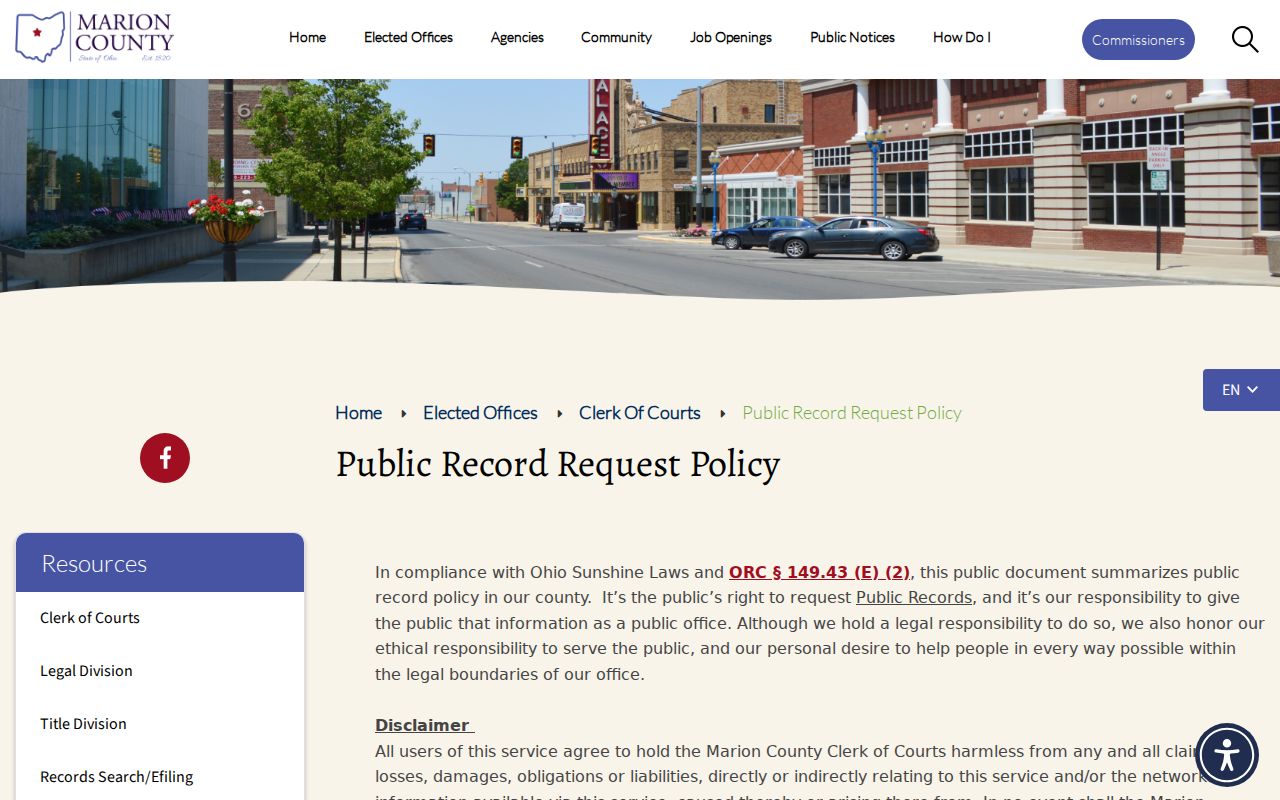
The same Marion policy covers denials. If a record is protected, the office explains the refusal orally and provides a written Notice of Denial on request. It promises service within a prompt, reasonable time rather than a set number of business days.
Marion County Court Record Choices
Know the format before you call a Marion clerk. You dodge the most common records mistake that way. A docket is the dated index of activity. The filed document is the actual item a docket line names. A certified copy is the clerk's official version. It is used when formal proof of an order or disposition is required. A screen result, by itself, is not certified.
| Request | What It Provides | Best Route |
|---|---|---|
| Marion docket information | Chronological filings, settings, entries, status, and disposition information. | Marion County Public eAccess / CourtView or Marion Municipal CaseLook, then the clerk for verification. |
| Marion plain document copy | The filed item or order itself, subject to access and redaction rules. | The Marion clerk that maintains the case file. |
| Marion certified copy | A clerk-certified official version of a document or record. | Request directly from the appropriate Marion clerk and specify certification. |
Appeals take a separate track. When a Marion County case goes up on appeal, filings go to the originating county clerk as directed by the Ohio Third District Court of Appeals clerk. The appellate matter carries its own docket, even if the trial-court file holds an appeal entry. Treat the two paths as distinct from the start.
Types of Court Records
What a Marion County court record shows depends on the court and the stage of the case. Public eAccess may display its register and document indicators, while a Municipal Court case can show its docket and notices. The full case file often holds more than any remote screen reveals.
- Case dockets or registers showing dated filings, services, settings, orders, costs, and disposition.
- Filed pleadings, complaints, motions, affidavits, notices, judgment entries, and orders.
- Criminal and traffic case materials, including charges, pleas, hearings, payment status, and judicial disposition.
- Civil case materials, such as service records, motions, judgments, satisfactions, executions, and appeal entries.
- Municipal proceeding recordings, which the local rules say the court retains for three years, subject to request and payment.
Juvenile, domestic relations, probate, and child-support matters sit with the Family Division. Court ownership matters more here than any broad record label, so match the case to the division that actually holds the file.
Marion County CourtView Records
Marion County Public eAccess is where the docket search begins. It covers Common Pleas and Family Division cases. Pick the Marion records-search route. Choose a division if the screen asks, then search with the strongest identifier you have. Marion case numbers look like 2022 CV 0155 and 2011 CR 0368.
A CourtView record can list the case type, its status, the file date, the judge, and the next event. Dated Docket Information entries come with it. One caution: a document indicator only means the filing exists in the court record. It does not promise a download. Attachments and exhibits may be treated differently by the Marion clerk's office. Ask there if a filing will not open.
For the clerk's own records-search route and contact details, turn to the Marion Legal Division source page. It spells out what that office provides and how to reach it.
When a Marion entry shows no remote image, do not assume the item is gone. Ask the Marion Legal Division whether it is unscanned, restricted, an exhibit, or held by another division. The answer usually comes quickly.
Marion County Municipal Record Forms
Municipal Rule 124 requires a completed formal request that plainly identifies the record you want. CaseLook can lag behind court action by at least 24 hours. Rely on a written request or a personal visit for verified information. List the case or citation number, the item, the copy type, and your return method. The Municipal Court forms page holds the court's official records-request and related forms. The page shows the current printable versions.
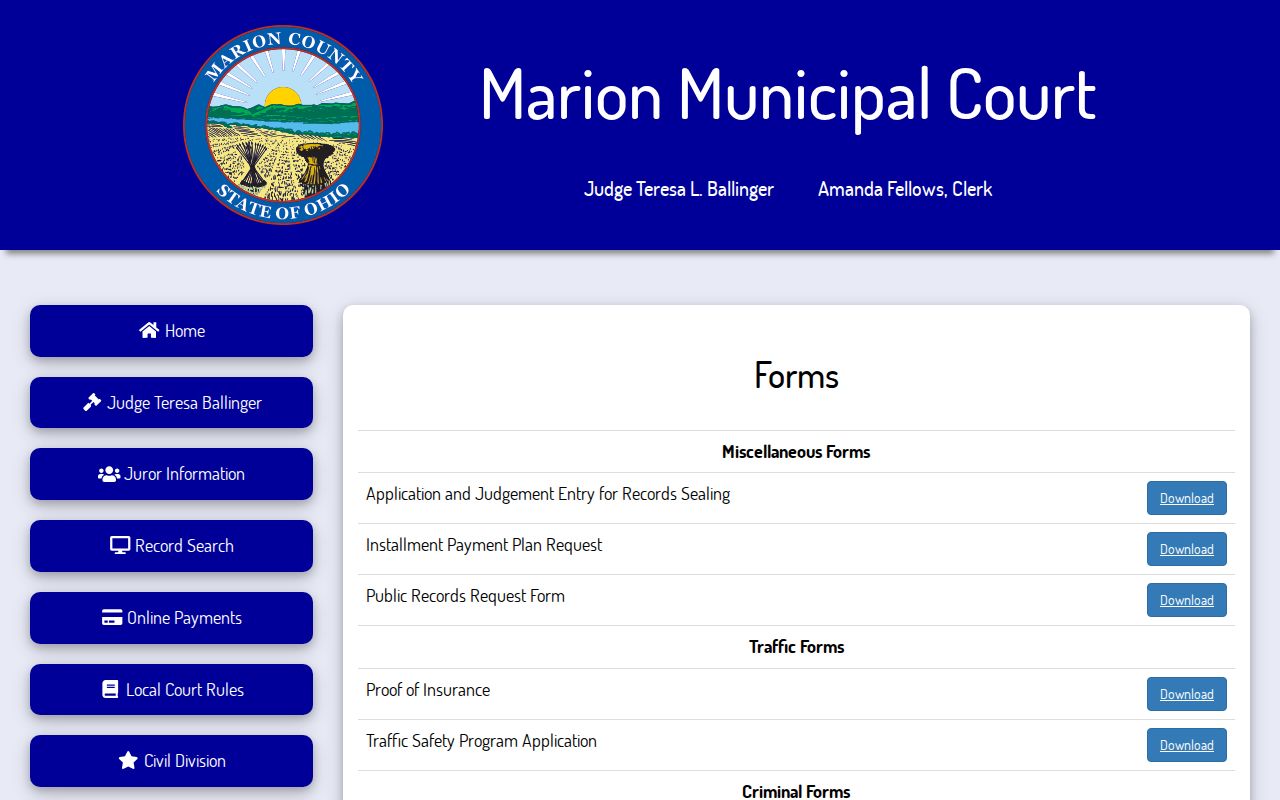
Field labels vary, so print the current request form and read it before filing. The practical identifiers above are a guide, not a copy of the form's exact wording. Match your entries to what the form actually asks.
What a Court Record Contains
A Marion County court record opens with its header and dated docket. What else is visible depends on the court and your access level. Marion CourtView shows case and party data followed by Docket Information. Authorized municipal e-filed items become part of the official record. A Marion record can name an item without showing it remotely. The file often runs deeper than the screen.
| Case Number | The court-assigned identifier, often a year, type code, and sequence. |
|---|---|
| Case Header | Case type, status, file date, judge, next event, and action where shown. |
| Parties or Charges | Party roles and counsel, or criminal/traffic counts, description, disposition, and date. |
| Docket Sheet | A chronological register of filings, service, notices, hearings, motions, orders, judgments, and appeal activity. |
| Documents and Exhibits | Filed papers or image indicators; restricted, unscanned, or exhibit material may require direct access. |
Marion County Court Recordings
A recording is not a transcript. The difference matters for anyone pulling Marion County court records. Under Marion Municipal Rule 118, the court keeps recordings for three years. The Municipal Clerk will copy a recording when you ask and pay the required fee. Give the clerk the case number and details about the proceeding. Then the clerk can pull the right recording from the docket.
A transcript is a separate path. You hire a court reporter yourself, and that cost is yours. The court charges no posted transcript price.
Marion County Older Court Files
Some Marion County court records are online. That does not mean every old case file still exists in digital form. Municipal Rule 114 lets the court destroy files once Ohio's retention minimums have run. R.C. 2303.12 allows several ways to reproduce records. It does not promise that history made it to the internet.
Contact the Marion clerk with details ready. Have the approximate year, the court or division, the case number, and the document you want. Ask directly whether the file is still retained, archived, restricted, or set aside for special retrieval. The clerk posts no turnaround time or microfilm fee for archived material.
Certified Copies and Fees
A certified copy comes with the Marion clerk's seal. A plain copy does not. The prices come from Rule 124 of the Marion Municipal Court. According to the Marion Legal Division, an information-only request may cost nothing. Copying, redaction, special media, or large reproduction jobs can add to the bill. Don't treat the deposit schedule as a copy-price list.
| Item | Amount | Record Route |
|---|---|---|
| Municipal plain copy | $0.10 per page | Formal Municipal Court request under Rule 124. |
| Municipal certified copy | $5 per certified copy | Specify certification in the Municipal Court request. |
| Legal Division information-only request | May be no charge | County policy says information-only requests can be free. |
| Legal Division copying or certification | Fee not universally published | Ask for an estimate for the particular item, redaction, medium, or certification. |
Marion County Clerk of Courts, Legal Division
100 N. Main Street, 2nd Floor
Marion, OH 43302
740-223-4270
Marion County Court Record Redactions
Public access in Marion stops short of every image and identifier. R.C. 2303.901 governs how case documents handle omitted personal identifiers, and Marion Municipal Rule 105 puts the redaction duty on filers. So a docket entry can be visible while the document behind it stays redacted or nonpublic.
- Direct access
- Access through the court or clerk, which can include material not offered remotely under the applicable rules.
- Remote access
- Online access, which may omit an attachment, exhibit, or protected material that must be handled through the clerk.
- Redaction
- Removal or protection of information such as protected identifiers before public disclosure.
Public Access and Sealed Records
Ohio rules presume Marion County court records are open, yet access has limits. Some material may never show up in a remote search: sealed or expunged Marion cases, protected identifiers, juvenile matters, many family court records, unscanned exhibits, and certain search-warrant materials. A docket search that comes up empty could mean a court split, a portal delay, an older file, or a restriction.
Key Rules:
Ohio Rules of Superintendence 44 and 45 - Court records are generally open, while direct and remote access may differ and restricted information has special treatment.
R.C. 2303.12 - Common Pleas clerks keep the general docket and provide the statute's specified electronic access, subject to exclusions.
R.C. 149.43, the Ohio Public Records Act - This is the public-record authority cited in the Legal Division's local request policy.
R.C. 2953.32 - This statute provides the framework for eligible criminal sealing and expungement requests, subject to exceptions.
Marion County Court Record Denials
When the Marion Legal Division marks an item as protected, staff will explain the reason out loud. They will also hand over a written Notice of Denial if you want one. That notice tells you the clerk's decision. It does not turn an unavailable remote item into a public document.
Before appealing to anyone, check your own paperwork. For a Marion municipal request, check the form. Make sure it is complete and the record is described clearly. For Marion Common Pleas or Family matters, confirm the division and case number. Then ask where the problem sits. Is it a restriction, a missing scan, an old file, or a case sitting with another court?